This page records visual evidence from the local runtime. These images are evidence artifacts for the manual and website, not product screenshots claiming a finished release.
Evidence date: July 3, 2026.
Screenshot media is curated like the rest of the documentation system: stable filename, evidence ID, source capture, caption, interpretation boundary, and review-before-promotion. Duplicate captures are not repeated unless they show a distinct runtime state.
DotTalk++ Workbench Workspace Areas
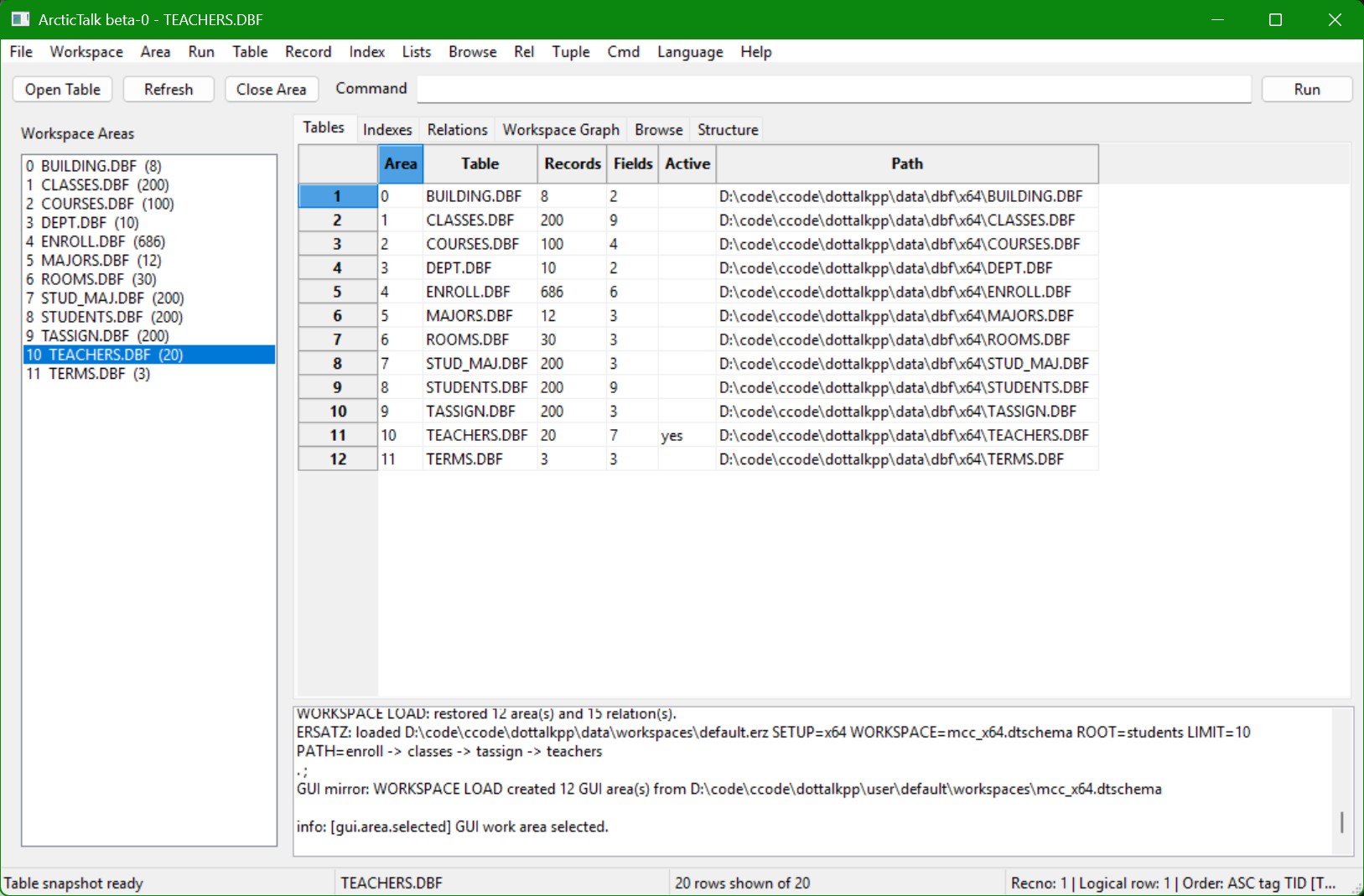
Observed evidence:
- DotTalk++ Workbench GUI evidence is running against
TEACHERS.DBF. The captured build/window may still show the older Arctic code-name text; the product-family name is DotTalk++ Workbench. - Workspace pane lists 12 DBF areas:
BUILDING.DBF,CLASSES.DBF,COURSES.DBF,DEPT.DBF,ENROLL.DBF,MAJORS.DBF,ROOMS.DBF,STUD_MAJ.DBF,STUDENTS.DBF,TASSIGN.DBF,TEACHERS.DBF, andTERMS.DBF. - Runtime output reports
WORKSPACE LOAD: restored 12 area(s) and 15 relation(s). - GUI mirror reports 12 GUI areas created from the
mcc_x64.dtschemaworkspace.
Table Browser and CDX/LMDB Evidence
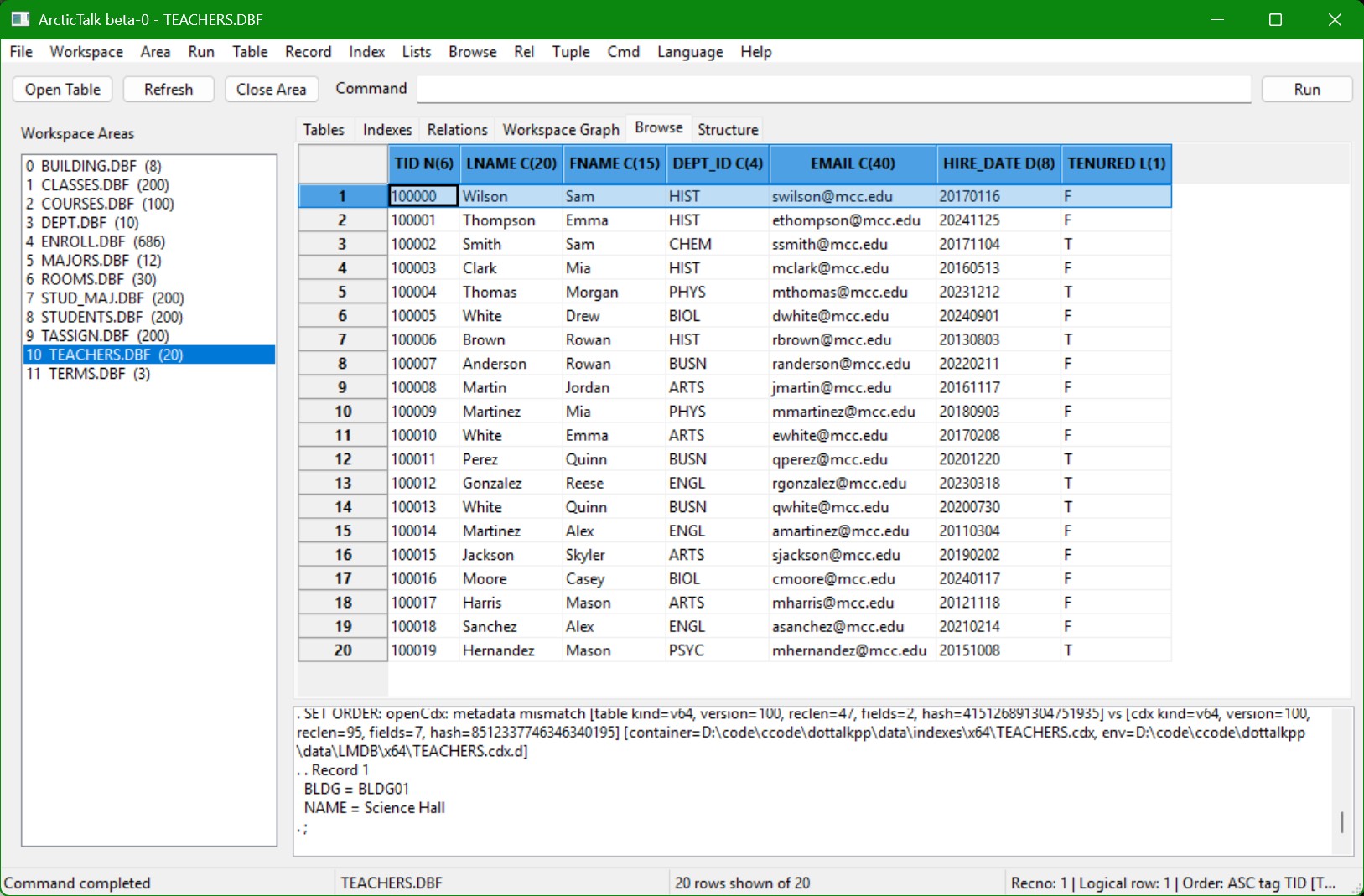
Observed evidence:
- Browse grid displays
TEACHERS.DBFfields includingTID,LNAME,FNAME,DEPT_ID,EMAIL,HIRE_DATE, andTENURED. - Status bar reports 20 rows shown of 20.
- Status bar reports active ordered state:
Order: ASC tag TID. - Output pane shows
SET ORDERCDX metadata mismatch diagnostics with a.cdxcontainer and.cdx.dLMDB environment path. This is useful evidence for the CDX/LMDB diagnostics lane and should be documented as a diagnostic state, not a clean success state.
Command Output Readback
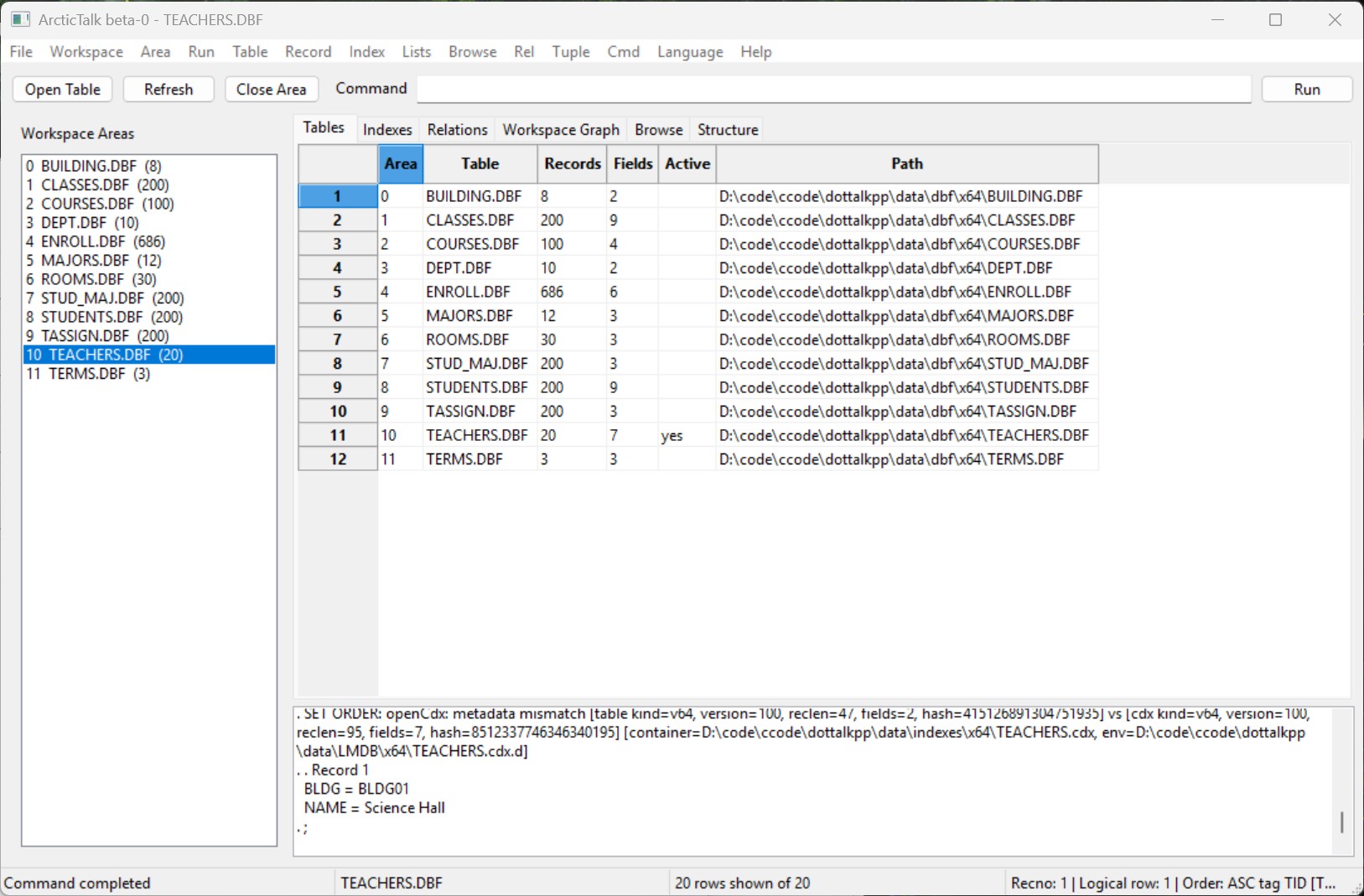
Observed evidence:
- DotTalk++ Workbench can show table/workspace state and command-output readback in the same GUI.
- The output pane preserves diagnostic text for later manual or SelfDoc review.
- This supports the policy that GUI evidence should cite visible runtime text, not only visual layout.
LabTalk Portal
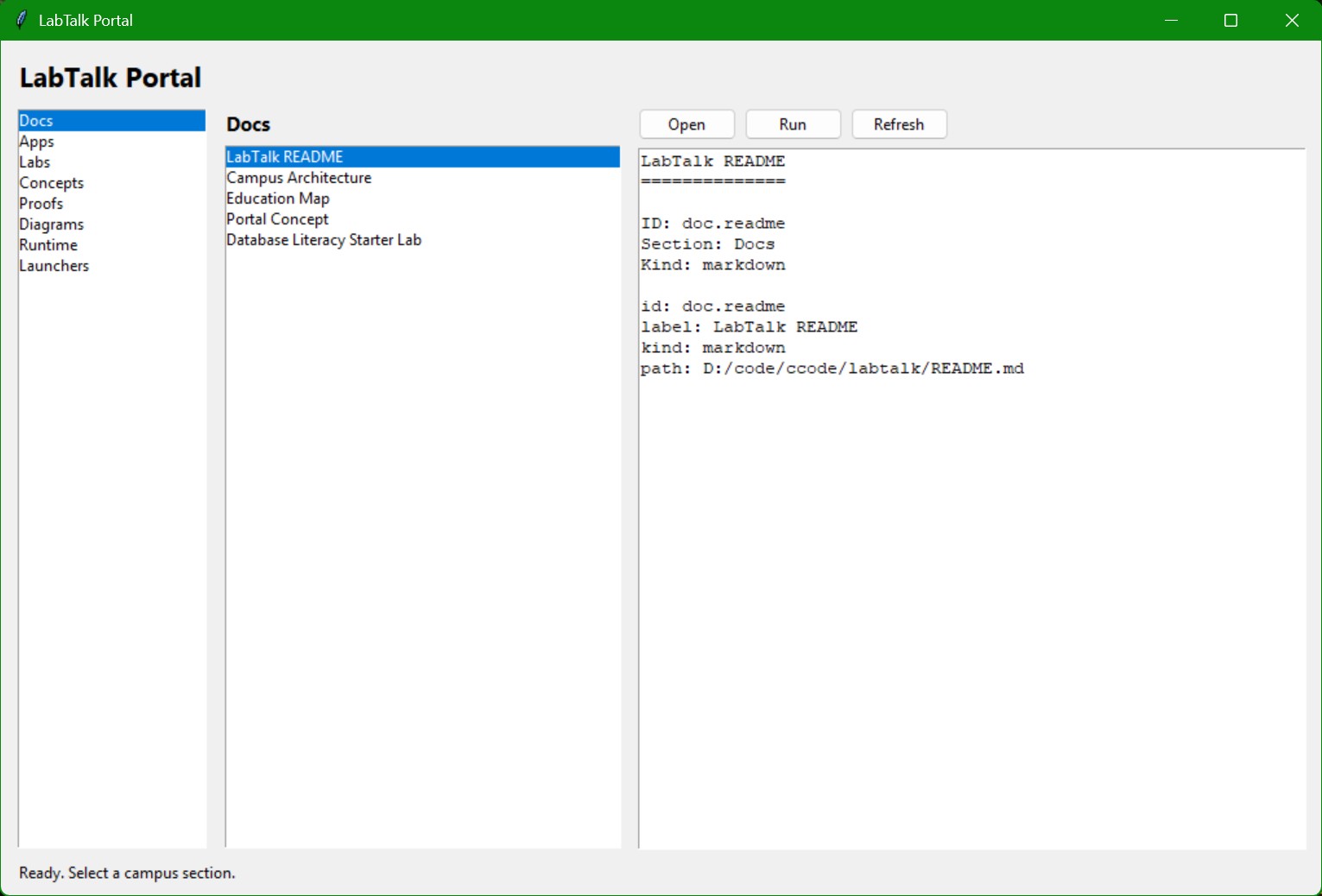
Observed evidence:
- LabTalk Portal has a section navigator with
Docs,Apps,Labs,Concepts,Proofs,Diagrams,Runtime, andLaunchers. - The Docs section shows items including
LabTalk README,Campus Architecture,Education Map,Portal Concept, andDatabase Literacy Starter Lab. - The preview pane resolves a document record with ID, section, kind, and local path.
Arctic TUI Tuple and Record Browser
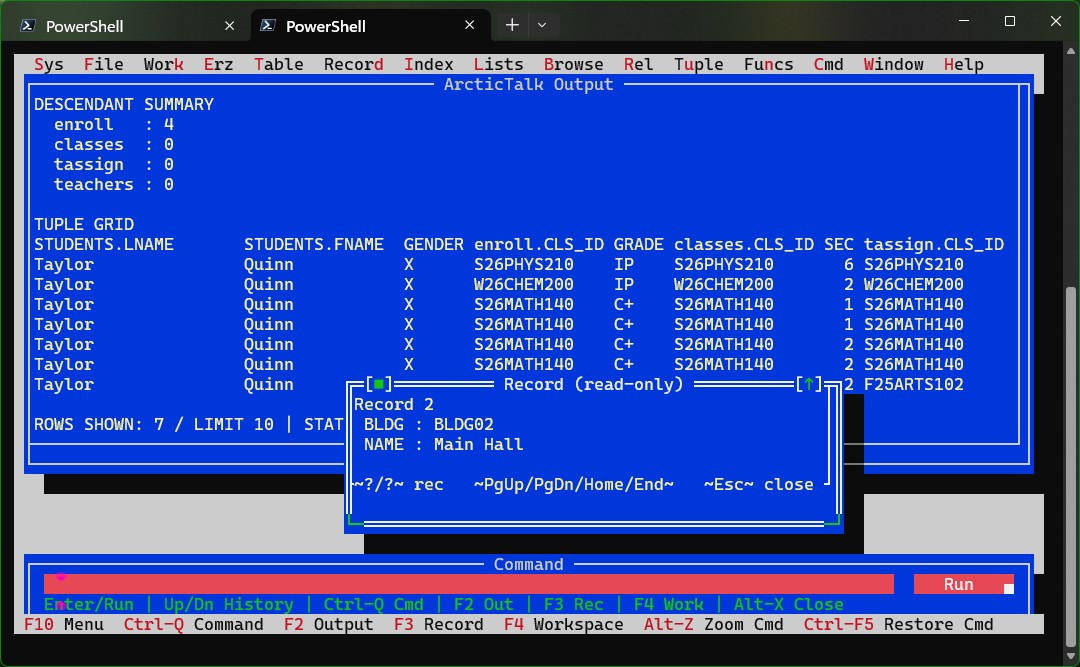
Observed evidence:
- Terminal/TUI shell shows the Arctic code-name surface with menus and command/output panes.
- Tuple grid displays a tuple projection across related areas, with fields such as
STUDENTS.LNAME,STUDENTS.FNAME,enroll.CLS_ID,GRADE,classes.CLS_ID, andtassign.CLS_ID. This is correlated traversal from the current parent record, not a relational join result set. - A record popup displays
BLDGandNAMEfor a related record. - This supports the SmartBrowser/TupTalk/RelTalk evidence lane: tuple output, relation readback, and record inspection are visible in the runtime.
DotTalk++ CLI Startup and BibleTalk Evidence
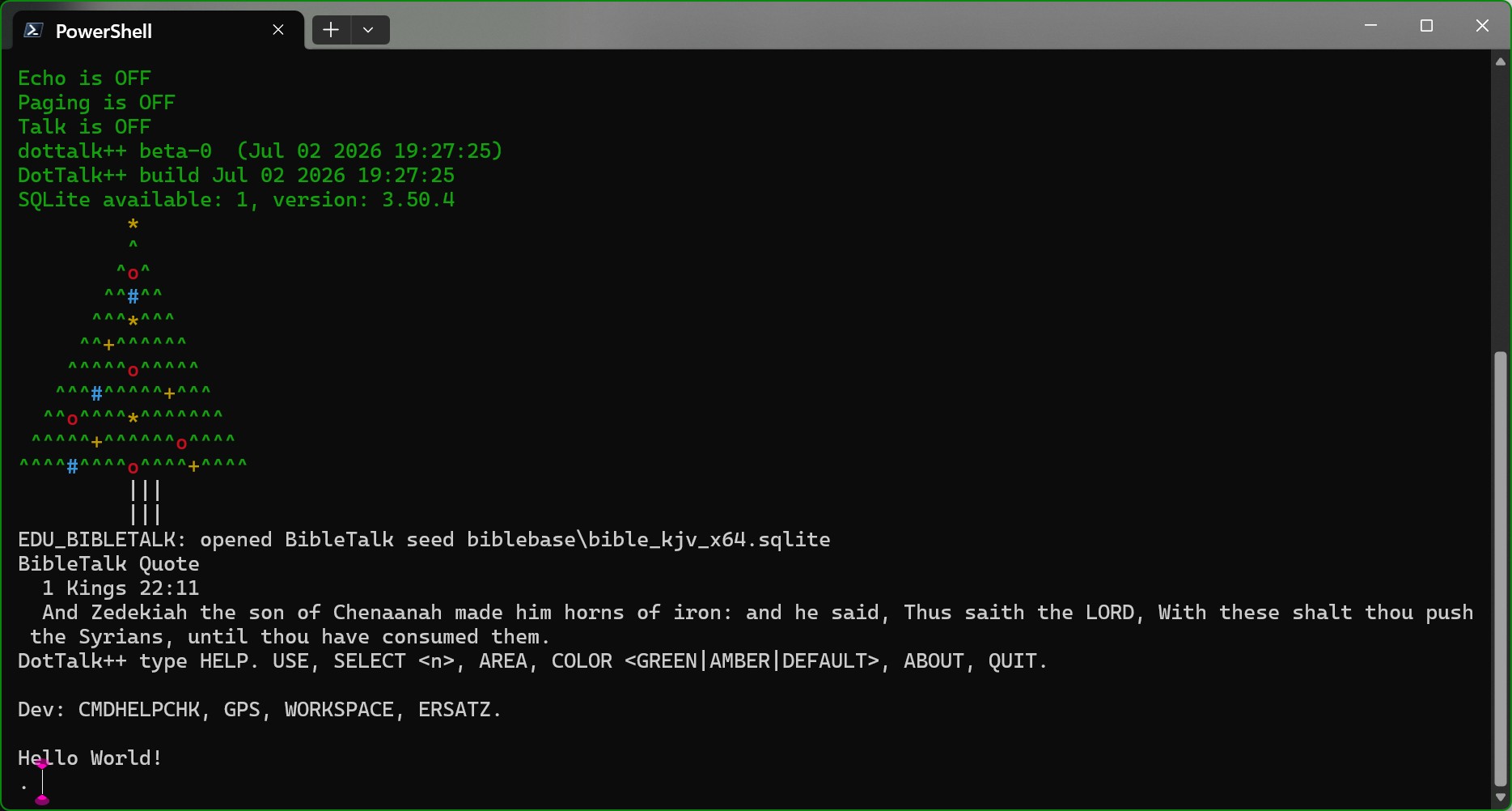
Observed evidence:
- DotTalk++ CLI starts with the
dottalk++ beta-0banner and DotTalk++ build timestamp. - Runtime reports SQLite availability and version
3.50.4. EDU_BIBLETALKopens the SQLite seedbiblebase\bible_kjv_x64.sqlitewhen that seed is installed. It does not ship with the lean edition; without it the command reports that the SQLite database is not installed rather than failing.- Startup/readback shows education-facing CLI output:
HELP,USE,SELECT <n>,AREA,COLOR,ABOUT, andQUITprompt text. - The ASCII display and the BibleTalk quote visible in this capture come from an
optional command configured in the operator's own
dottalkpp.ini, not from default startup. A stock install prints neither. Noted here because this page is evidence: a screenshot of one machine's configuration is evidence of what that machine did, not of what the product does. - Developer/status hints include
CMDHELPCHK,GPS,WORKSPACE, andERSATZ.
DotTalk++ CLI Workspace and Relation Load
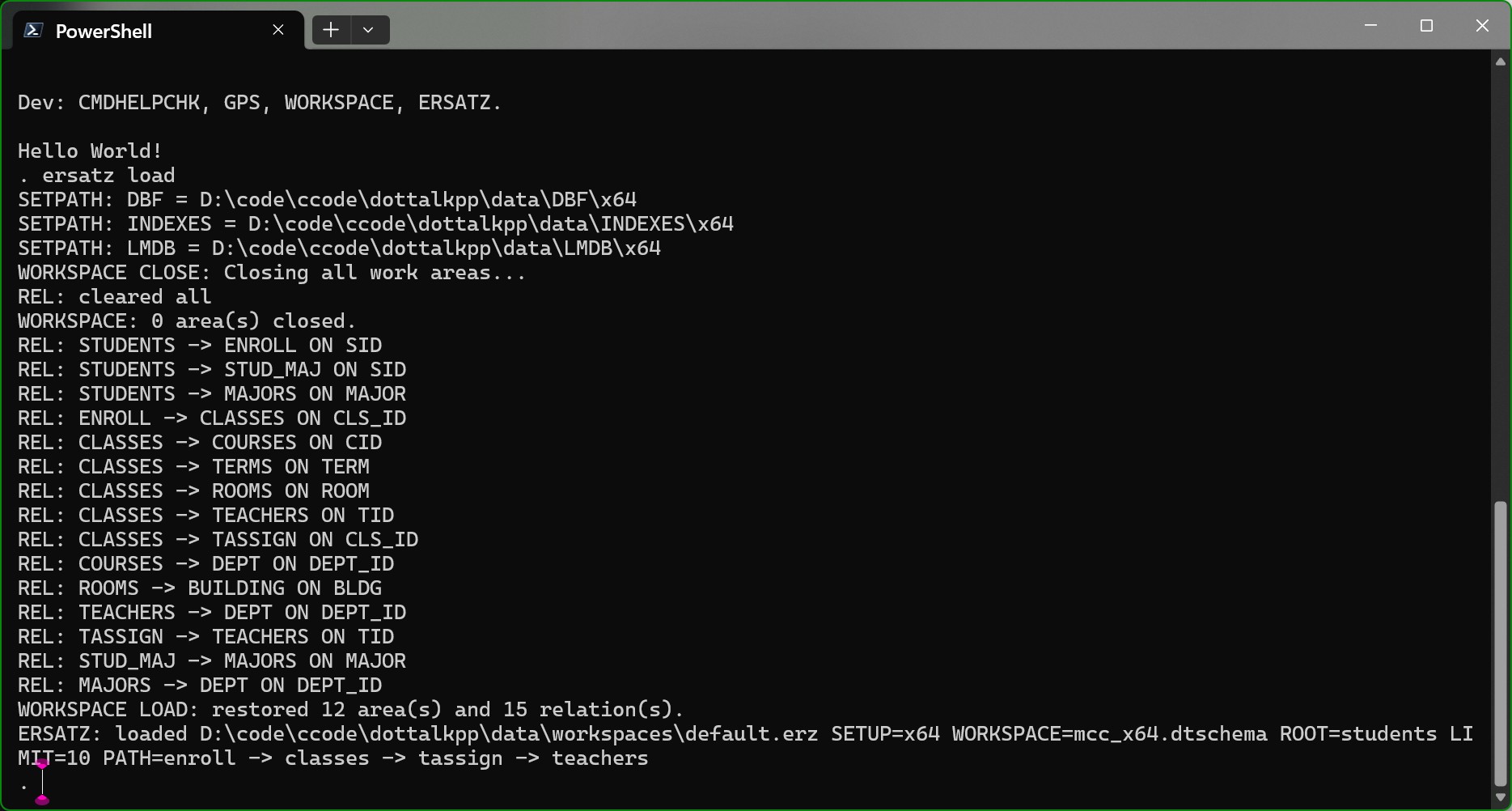
Observed evidence:
- DotTalk++ CLI runs
ersatz load. SETPATHreadback shows x64DBF,INDEXES, andLMDBroots.- Workspace close/reload output is visible before relation restoration.
REL:lines enumerate table relationships such asSTUDENTS -> ENROLL ON SID,CLASSES -> TEACHERS ON TID, andROOMS -> BUILDING ON BLDG.- Runtime reports
WORKSPACE LOAD: restored 12 area(s) and 15 relation(s). ERSATZloadsdefault.erzwithSETUP=x64,WORKSPACE=mcc_x64.dtschema, and the pathenroll -> classes -> tassign -> teachers.
DotTalk++ CLI Relation Tree and Tuple Grid
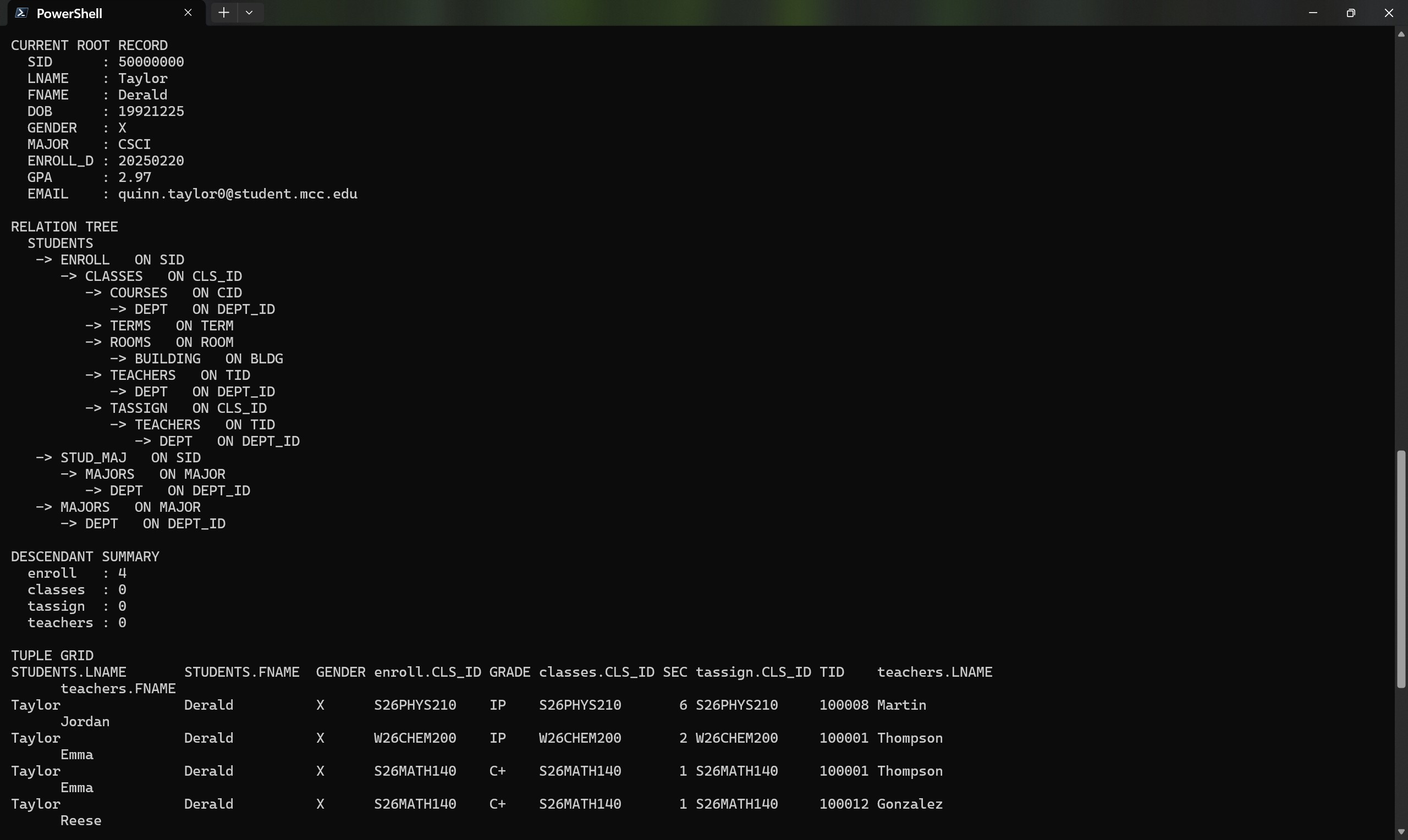
Observed evidence:
- DotTalk++ CLI shows the current root record with fields including
SID,LNAME,FNAME,DOB,GENDER,MAJOR,ENROLL_D,GPA, andEMAIL. - Relation tree output expands from
STUDENTSthroughENROLL,CLASSES,COURSES,DEPT,TERMS,ROOMS,BUILDING,TEACHERS,TASSIGN,STUD_MAJ, andMAJORS. - Descendant summary and tuple grid are visible in the CLI, separate from the TUI surface.
- Tuple grid includes a tuple projection across related areas, with fields such as
STUDENTS.LNAME,STUDENTS.FNAME,enroll.CLS_ID,GRADE,classes.CLS_ID,tassign.CLS_ID,TID, andteachers.LNAME. This is correlated traversal from the current parent record, not a relational join result set.
DotTalk++ Workbench Preview
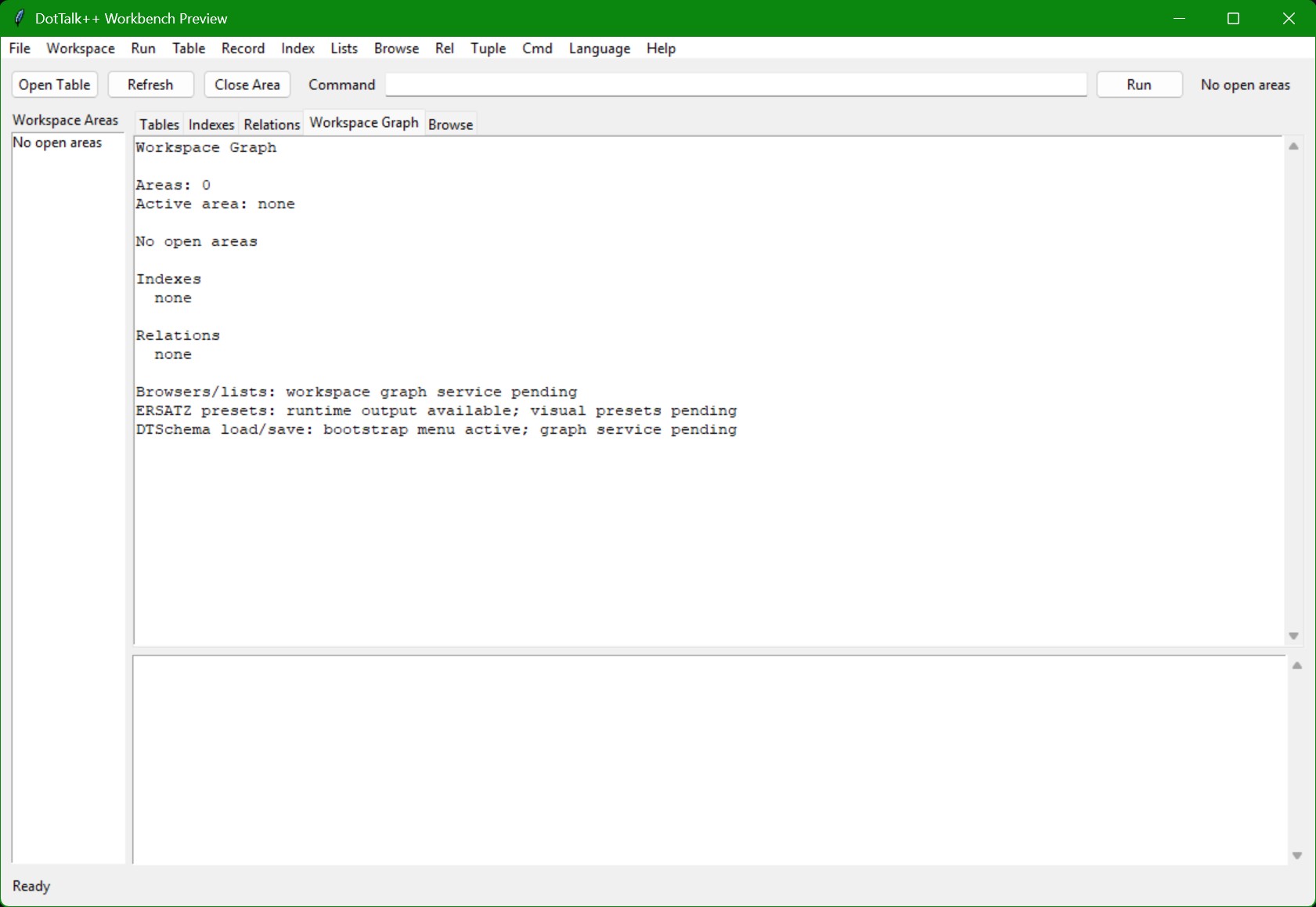
Observed evidence:
- DotTalk++ Workbench Preview opens with menu groups for
File,Workspace,Run,Table,Record,Index,Lists,Browse,Rel,Tuple,Cmd,Language, andHelp. - Workspace Graph tab reports no open areas, no active area, no indexes, and no relations.
- Bootstrap notes identify browsers/lists workspace graph service pending, ERSATZ runtime output available, visual presets pending, and DTSchema load/save bootstrap menu active.
- This is preview/bootstrap evidence for the Workbench surface, not a loaded workspace proof.
Website Documentation Evidence
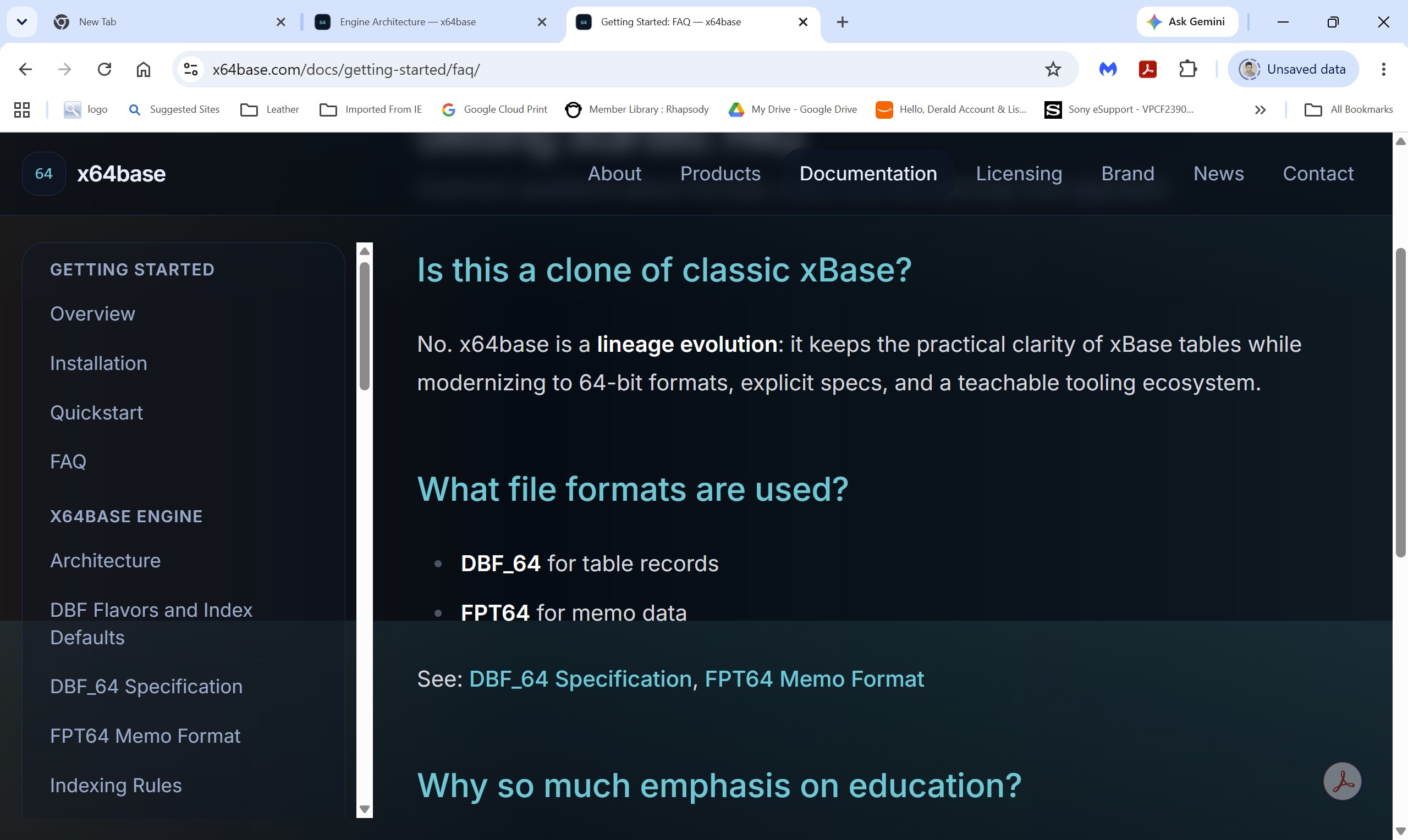
Observed evidence:
- The live site is open at
x64base.com/docs/getting-started/faq/. - Primary navigation shows
About,Products,LabTalk,Documentation,Downloads,News, andContact; project notices and identity notes remain deliberately secondary. - Documentation sidebar includes
DBF Flavors and Index Defaults,DBF_64 Specification,FPT64 Memo Format, andIndexing Rules. - FAQ copy refers to x64base as a lineage evolution and points to
DBF_64andFPT64documentation. - This is website matriculation evidence. It proves publication/navigation state, not independent engine behavior.
Manual Use
For manual generation, these screenshots should be cited as reviewed media evidence. They support sections on:
- DotTalk++ Workbench GUI surfaces.
- Arctic TUI code-name surface.
- Workspace/area restoration.
- Table browsing and SmartList/browser lanes.
- CDX/LMDB order diagnostics.
- LabTalk Portal and documentation index surfaces.
- Tuple/relationship browsing.
- DotTalk++ CLI startup, education hooks, workspace/relation loading, relation tree output, and tuple-grid readback.
- DotTalk++ Workbench Preview bootstrap state.
- Live x64base website documentation navigation and media-curation workflow.
They should not be used to claim final product polish, completed release packaging, or absence of known diagnostics.